Docs · API & data
GTIN check & product categories (GPC / UNSPSC / custom)
Overview
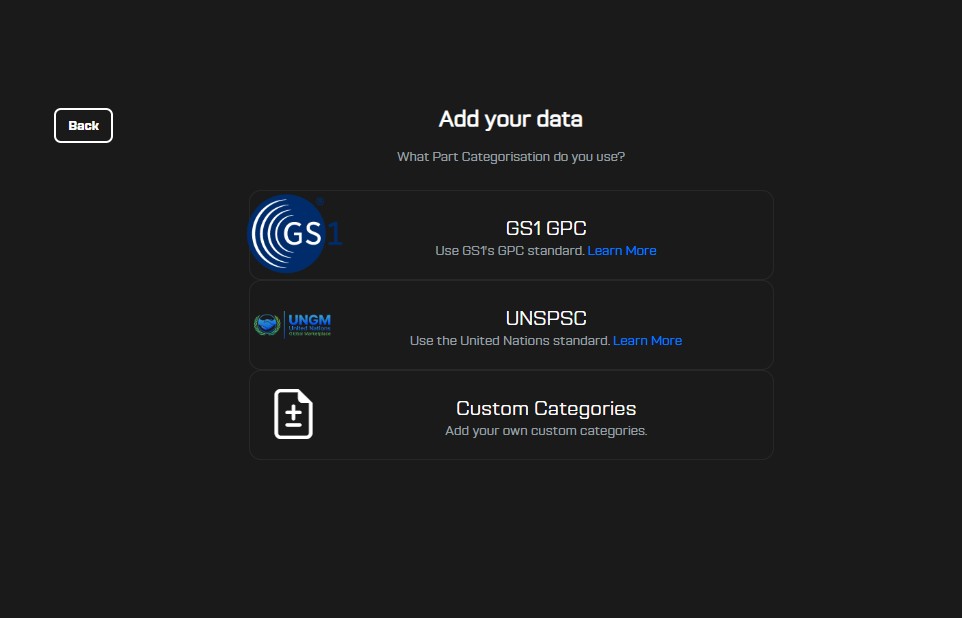
PartLogic supports structured product classification so you can keep part data consistent across teams, sites, and integrations. During onboarding, you choose a classification approach:
- GPC – use GS1 Global Product Classification to standardise categories (official standard)
- UNSPSC – use the United Nations standard taxonomy (official standard)
- Custom – free text categories for organisations with their own taxonomy
If you capture barcodes, you can also use the GTIN check flow to validate a GTIN and (when available) use the returned data to speed up category selection. Operators working day to day in Parts can start with the short GTIN check on a part guide.

Choose a classification standard during onboarding
When a new workspace is set up, you pick the classification type you want everyone to use. This determines what users will see when creating parts (for example, whether they search GPC categories, select UNSPSC, or enter a custom value).
GTIN check (validation + lookup)
The GTIN check flow validates the barcode format and, when the item is recognised, returns related data that can be used to accelerate part creation—such as suggested category details for the selected classification scheme.
This is useful when you are adding new items from packaging or labels: you scan/type the GTIN, confirm it is valid, then apply the returned category information rather than searching manually.
Search & select categories
If you don't have a GTIN (or you want to override it), users can search for categories directly. The UI is designed for fast, consistent data entry: users type a few letters, and the dropdown narrows to relevant options.
FAQ
Can I change our classification type later?
Not currently. We ask you to pick your classification type when you join the platform (during onboarding) so your team can capture consistent data from the start.
We may add a controlled “change classification” option later, but it requires a reliable mapping between standards (for example, GPC ↔ UNSPSC) to avoid breaking reporting, search, and integrations.
We may also introduce support for using more than one classification standard in the same workspace, but that is not available yet.
If this is an immediate requirement, the recommended approach is to add a custom attribute in the Parts portal and capture your secondary classification there. If you'd like help setting this up, contact us.
If you think you'll need help choosing, contact us and we'll recommend the best option for your workflow.
Notes & tips
- Standardise early — choosing GPC or UNSPSC during onboarding helps keep your reporting and integrations consistent.
- Custom categories — best when you already have an internal taxonomy and need a simple free-text field that matches your existing naming conventions. We recommend using GPC or UNSPSC standards though.
- Need help? If you want GTIN check enabled for your workflow or you need category fields in a bespoke API/export, contact us.